Equipple
A class management tool for teachers in Ireland who run their own tutoring, music or coaching practice, bringing scheduling, progress notes and invoicing into one place with nothing to learn first.
Admin that competes with teaching
A tutor who spends 20% of their working hours on scheduling, attendance, progress notes and chasing payments is delivering 20% less teaching. That arithmetic is the reason Equipple exists.
Teachers working outside the mainstream school system, private tutors, music instructors, language teachers, sports coaches running academy programmes, carry a full set of administrative tasks that have nothing to do with the subject they teach. Sessions to schedule. Attendance to record. Progress to note. Payments to follow up. Waiting lists to manage. The standard approach spreads it across a calendar app, a notes tool, a spreadsheet for money and WhatsApp for everything else.
The overhead was not just inconvenient. It was consuming the time and the mental space that should have gone into the teaching itself.
It had to work without any training
The constraint was simplicity. The target user is not an operations professional. They are a teacher who has reluctantly become their own business administrator, and a tool that needed configuration, onboarding or a learning period would not be adopted. It had to be immediately obvious on first open: here are your students, here is your schedule, here is who needs to be chased for payment.
That ruled out broader business management tools and it ruled out a long feature list. The scope was held to exactly three workflows: class scheduling, student progress tracking and payment management. Everything else was left out on purpose, because every added screen is something a teacher has to learn before they can get back to teaching.
Simplicity of that kind is not the absence of features. It is the presence of exactly the right ones, in the vocabulary the teacher already uses, with nothing on screen that needs a manual.
Students, classes, sessions and invoices
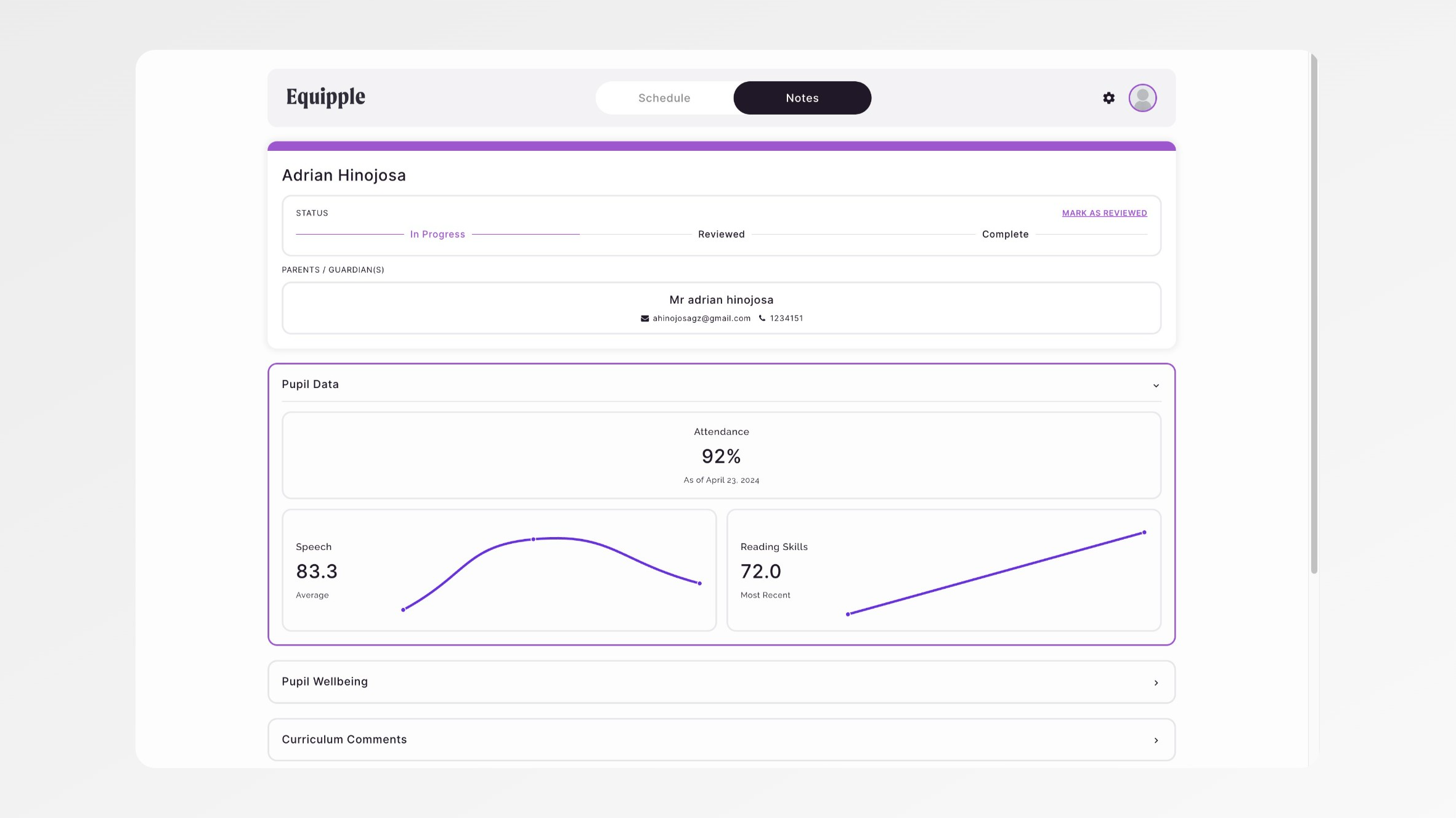
Each student has a profile with contact details, enrolled classes, an attendance record and a running progress log the teacher updates after each session. The log is structured but not prescriptive. A music teacher tracks grade progression, an English tutor tracks essay marks, a coach tracks technique, and the same log serves all of them because the structure is the teacher's, not the software's.
The scheduling view shows the week's classes, which students are expected and who has confirmed. Session notes attach to the class record and flow through to each attending student's timeline, so a note written once appears wherever it is relevant.
Invoicing runs from the student record. The teacher sets the rate and the billing cycle; the system generates invoices and tracks payment status per student. Overdue payments are flagged on the dashboard without the teacher having to remember to check.
Why not a general CRM with custom fields
A general CRM with a calendar integration and a few custom fields could technically hold the same data, and it would have been quicker to set up. The problem is not capacity. It is vocabulary.
General CRMs are built around sales pipelines. Their default views, their language and their underlying mental model are about leads and deals, and a teacher looking at a pipeline is being asked to think about their students in terms that do not match how they work. Every session would involve a small act of translation. A tool built around the teacher's own model, students, classes, sessions, progress, removes that translation, and with it most of the daily cognitive cost of using the thing. Adoption follows from that, and adoption was the entire brief.
A teaching week in Equipple
The teacher logs in at the start of the week and sees it laid out: every class, every expected student, who has confirmed. After each session they open the class, write the note, and it lands in each student's progress log. When a parent asks how their child is getting on, the answer is already written. Attendance is marked from the same schedule view, so the record of who came builds itself as the week goes on.
At the end of the billing period, invoices generate on their own. The dashboard shows who has paid and who has not. The teacher no longer keeps a spreadsheet of fees, no longer writes reminder messages from memory, and no longer reconstructs a student's progress from a notes app before a review conversation.
What teachers in Ireland use today
Teachers log in to see the week's classes and which students are expected. After each session they update the progress record. Invoices generate automatically at the end of each billing period.
The scheduling, tracking and payment management that previously needed four different tools now happen in one, and the platform launched in Dublin with that scope held deliberately tight. The foundation is a student record that already knows the teacher's classes, sessions and fees, which is what makes the three workflows feel like one tool rather than three.
Start a project.
Book a call or send a brief. The engineers who would build it read everything.